
For the adults
Everything you need to know
Your child wants to download an app and go to something. Here is what it costs, what you are consenting to, and what we do with the information.
What it costs
The app costs nothing
No subscription, no ads and no hidden fees. Sparks is run by a non-profit organisation, and the app is free for children, young people and guardians.
Individual activities may cost money — that is for the organisation to decide. The vast majority are free, and the price is the first thing stated on an activity: if it says gratis, it is free.
Nothing can be bought from inside the app. There are no purchases, no credits and nothing that unlocks against payment, and you are never invoiced through Sparks.
Accounts and age
Under 13 — then you are the one who starts the account
If your child is under 13 you create your own account and a linked account for the child. You then give the consents and see what the child has booked. An older child creates their own account, but you are still asked whenever an activity needs your consent.
BankID
Quickest. You identify yourself and the account is ready.
Freja eID
For anyone who prefers Freja. It works the same way.
A form
Without a Swedish electronic ID you can fill in a form that Sparks reviews by hand. A samordningsnummer (coordination number) and protected identity both work.
Three ways in, so that nobody is shut out for lack of an electronic ID.
How to do it
Four things, once
Most of this you do a single time. Where something awkward is in the way, we have written it out rather than letting you discover it yourself.
Create your own account
Start here. Your account is what your child's is then linked to.
Create your own account
Start here. Your account is what your child's is then linked to.
Download Sparks and tap Skapa konto (create account).
The first screen has three buttons: Logga in (log in), Skapa konto (create account) and Gå vidare och utforska (continue and explore). The last one lets you look around without an account — but then you can neither add a child nor answer consents, so it is a dead end if that is why you are here.
Identify yourself with BankID or Freja eID.
The app switches to your electronic ID app and back. If you do not have one, there is a form instead, which Sparks reviews by hand — a samordningsnummer (coordination number) and protected identity both work.
Fill in your name, contact details and address.
The address is used to show what is near you, and the email address for the mail concerning your child's account. You can change both later under Kontoinställningar (account settings).
Tap Sätt igång och utforska (get started and explore).
If it says "Välkommen! Du är nu redo att använda Sparks" — welcome, you are ready to use Sparks — the account is done.
You can now add children, answer consents and see what has been booked.
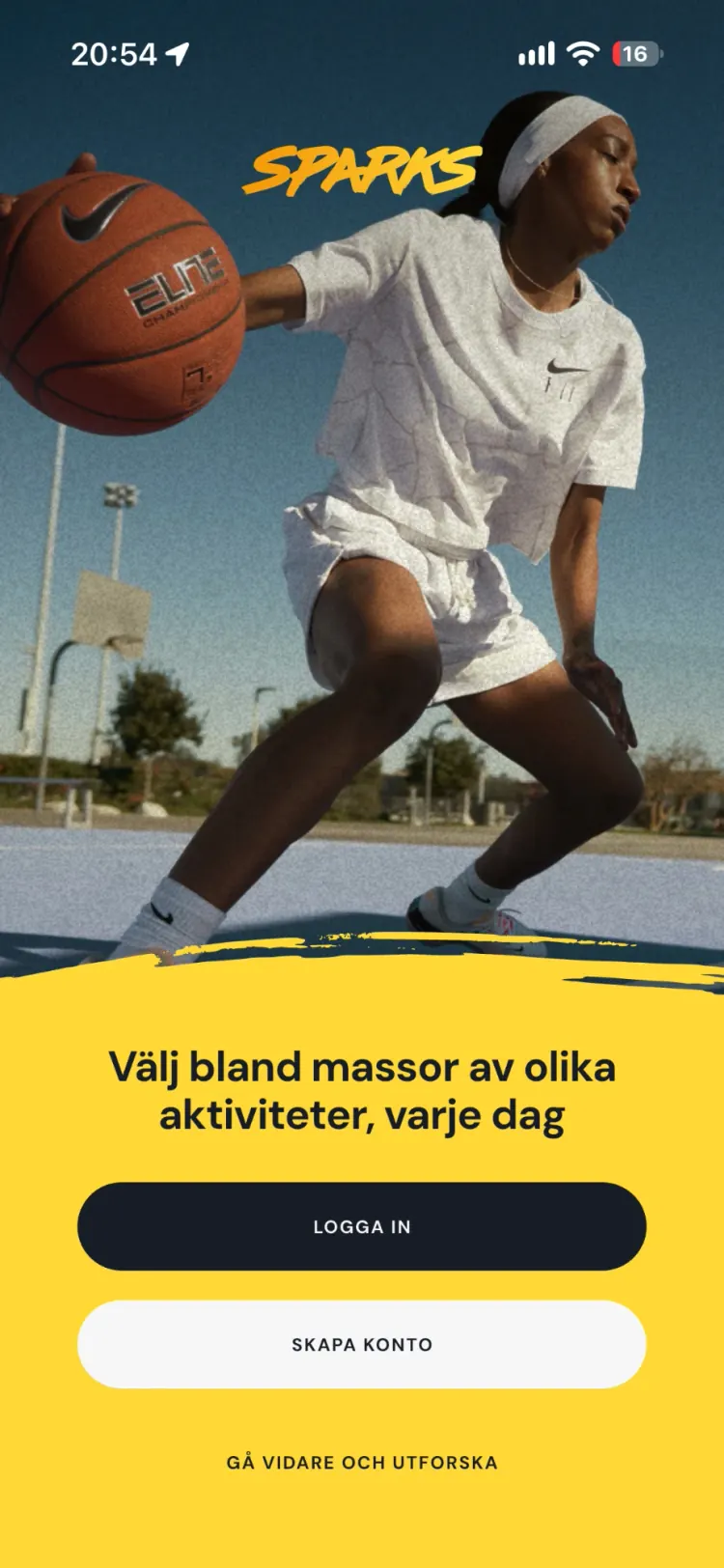
The first screen of the app. Skapa konto (create account) is the middle button.
Create an account for a child under 13
Under 13, the child cannot do this alone. You create the account.
Create an account for a child under 13
Under 13, the child cannot do this alone. You create the account.
Go to Mina barn (my children) in your account and tap Lägg till (add).
Mina barn sits under your profile. If you have no child registered, the list is empty.
Fill in the child's personnummer and tap NÄSTA (next).
Twelve digits without a hyphen, that is YYYYMMDDNNNN. The personnummer is the Swedish personal identity number; a twelve-digit samordningsnummer works just as well.
Fill in the child's email address.
It has to be different from your own — the app will not accept the same address twice. It is also the address the child will log in with, so use one the child can actually reach. If the child has no address, this is the point at which you need to set one up.
Tap Skicka förfrågan (send request).
It now says "Förfrågan har skickats!" — request sent — and you can close the dialog.
Wait for the email.
It arrives once Sparks has reviewed the request. The app says it itself: "Glöm inte att titta i skräpposten!" — do not forget to check your spam folder — and that is where it usually ends up.
Worth knowingThe last step is not automatic. We review the request before the accounts are linked, so do not expect it to be done the moment you tap send. And if the child tries first, they are told the account has to be created by a parent — from there they can go no further, and cannot pass the request to you either. You do it from your own account.
Skapa konto för
Alva Exempelsson
Du kan skicka en förfrågan att skapa ett konto för ditt barn och länka det med ditt. Fyll bara i ditt barns e-postadress nedan så hjälper vi dig.
Fyll i ditt barns e-postadress
P.S. denna e-postadress använder ditt barn för att logga in på sitt konto när det är skapat.
Genom att fortsätta accepterar du Sparks användarvillkor och integritetspolicy
Step two: the email address. This is where most people get stuck.
Link up with a child who already has the app
If the child is 13 or older they have usually created their own account. Then you link the two instead.
Link up with a child who already has the app
If the child is 13 or older they have usually created their own account. Then you link the two instead.
Go to Mina barn (my children), tap Lägg till (add) and fill in the child's personnummer.
The same two steps as for a younger child. This is where the paths split.
The app recognises the account and changes track.
Instead of creating a new account it says "Länka konton" (link accounts) and "<child's name> har redan ett konto på Sparks!" — already has an account. If the child started from their side instead, it says "Inbjudan länka konto" (invitation to link accounts).
Fill in the child's email address and tap Skicka förfrågan (send request).
It is the address the child already logs in with. If you do not know which one it is, you will have to ask — the app does not show it to you.
Wait for the email.
Sparks verifies that it is your child before the accounts are linked, and the answer comes by email just as for a younger child.
The child can also start the process, under Verifiera ditt konto (verify your account). A verified account reaches more activities and can check in at fritidsgårdar, so it is in both your interests.
Worth knowingThis route does not go through immediately either, and it is easy to assume it does, since the child already has an account. The app spells it out: before the accounts can be linked, you need to send a request to Sparks so we can verify that it is your child. The child saying yes is not enough — and the child cannot approve it on your behalf.
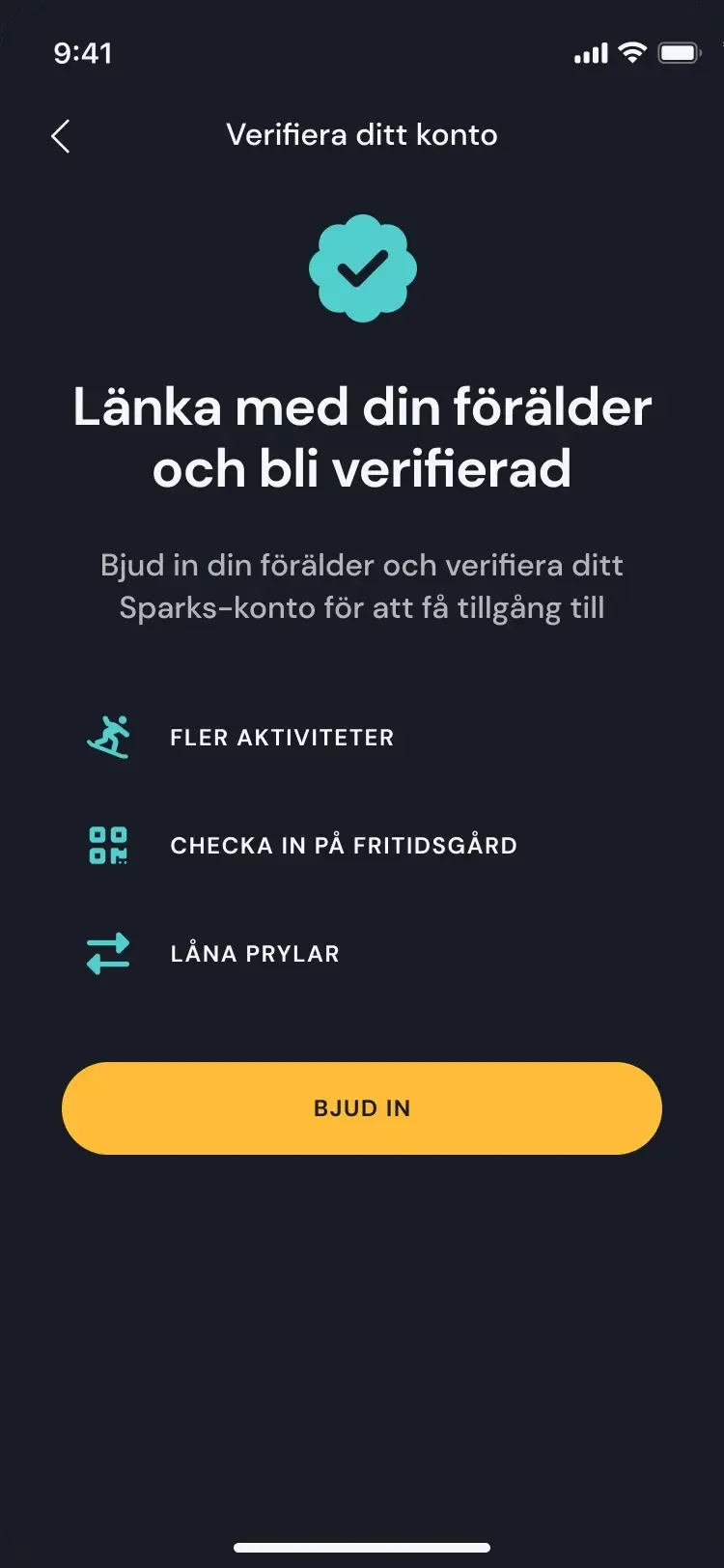
This is what the invitation looks like in the child's app, if they start it.
Approving membership of clubs
When your child wants to join a club or a meeting place, it is your consent that opens the door.
Approving membership of clubs
When your child wants to join a club or a meeting place, it is your consent that opens the door.
Go to Mina barn (my children), choose the child, then Kontoinställningar (account settings).
Tap Medgivanden (consents), under the heading Information till ledare (information for leaders).
The row shows how many consents are set, or "Ej valt alternativ" — no option chosen — if you have not been here before.
Set Medlemskap (membership) to Tillåt (allow).
On the same page are Fotografering (photography) and Simning (swimming). None of the three has a default answer — they are blank until you answer, and a blank answer is not a yes.
Tap Spara (save).
What you have answered then appears in the child's profile, for the leaders who receive them.
The child applies, and the club approves.
Your consent is permission to apply. The application itself is decided by the club or meeting place in their own app, and they are the ones who say yes.
You can change your mind at any time. A no is not permanent, and neither is a yes.
Worth knowingBlockera (block) is not the same as not answering. If you choose Blockera, the child is removed from every club and fritidsgård they are already a member of, and if you allow it again later they have to apply afresh. The app warns you before you confirm — but it is worth knowing beforehand.
Välj de alternativ som du ger ditt medgivande för ditt barn. Informationen kommer att synas i barnets profil.
Fotografering
Jag tillåter att mitt barn får fotograferas.
Simning
Jag intygar att mitt barn kan delta i simaktiviteter.
Medlemskap
Genom att tillåta ditt barn att bli medlem i klubbar och fritidsgårdar godkänner du följande villkor
The consents page. Three choices, and Spara (save) at the top right.
If you get stuck, get in touch.
On your child's phone
This is what your child sees
Three screenshots from the Sparks app, unretouched. The app is in Swedish.
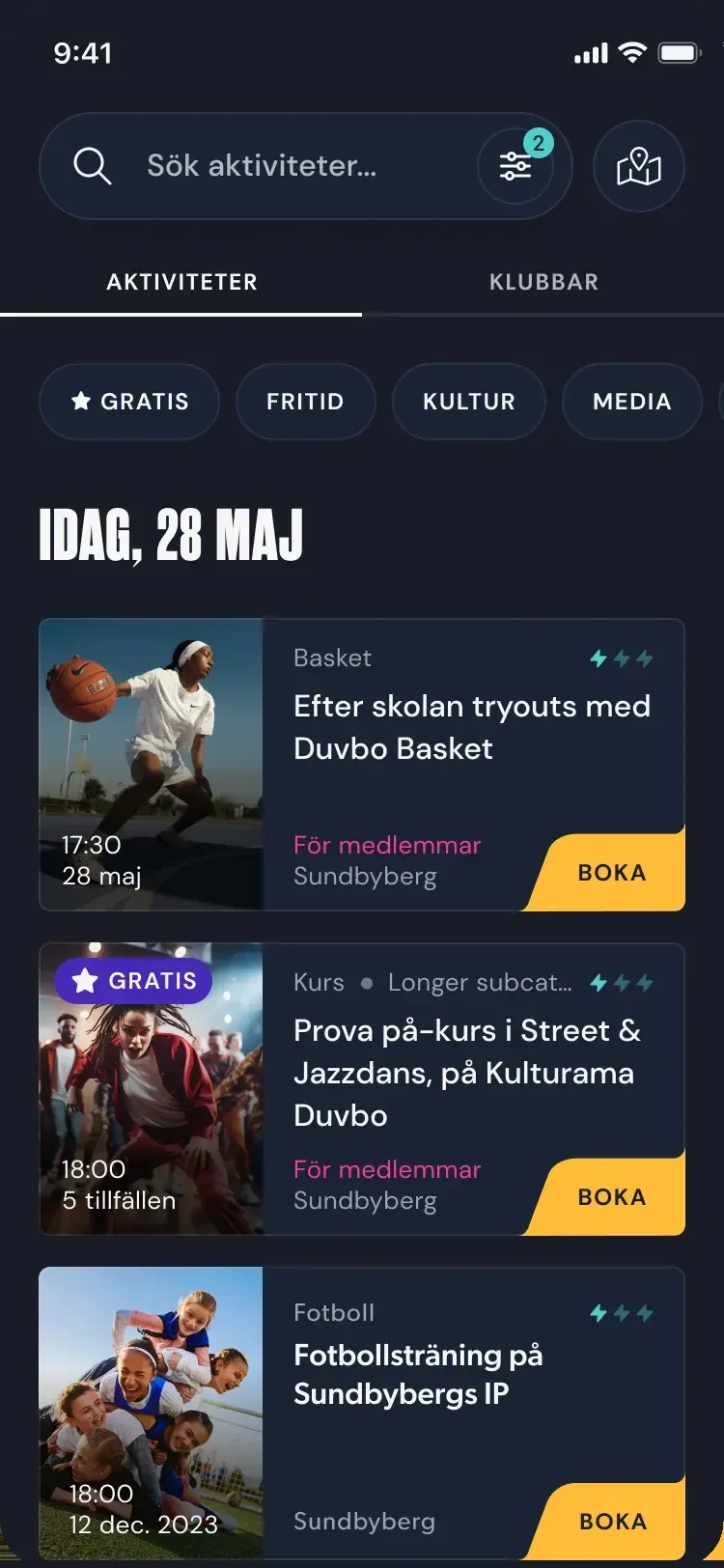
Everything going on, in one feed
Fritidsgårdar, clubs, culture school and libraries in the same list. Sorted by day, filtered by age and town — and by what is free.
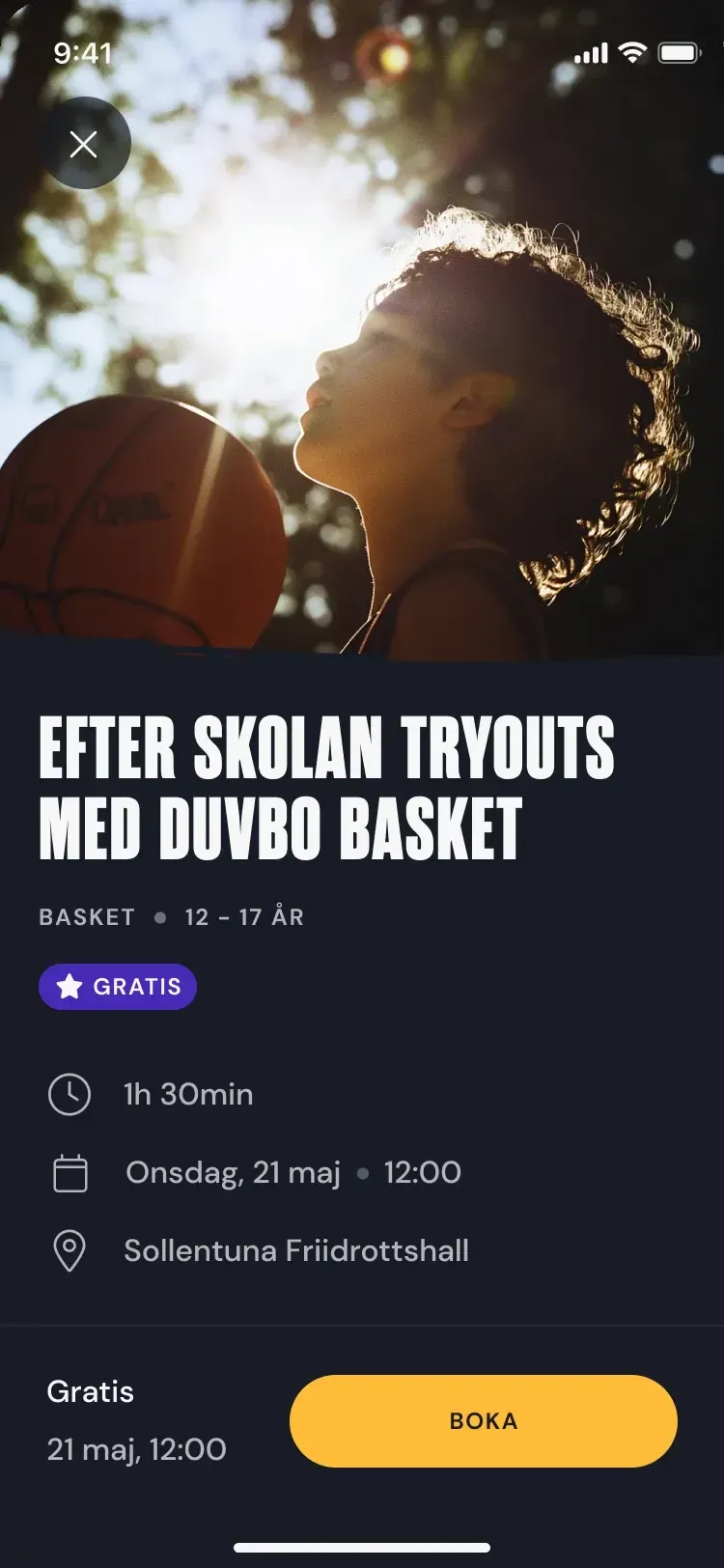
What it is, where it is, what is left
Time, place, age, price and how many places are left. Booking takes a few seconds, and if it is full you can join the queue.
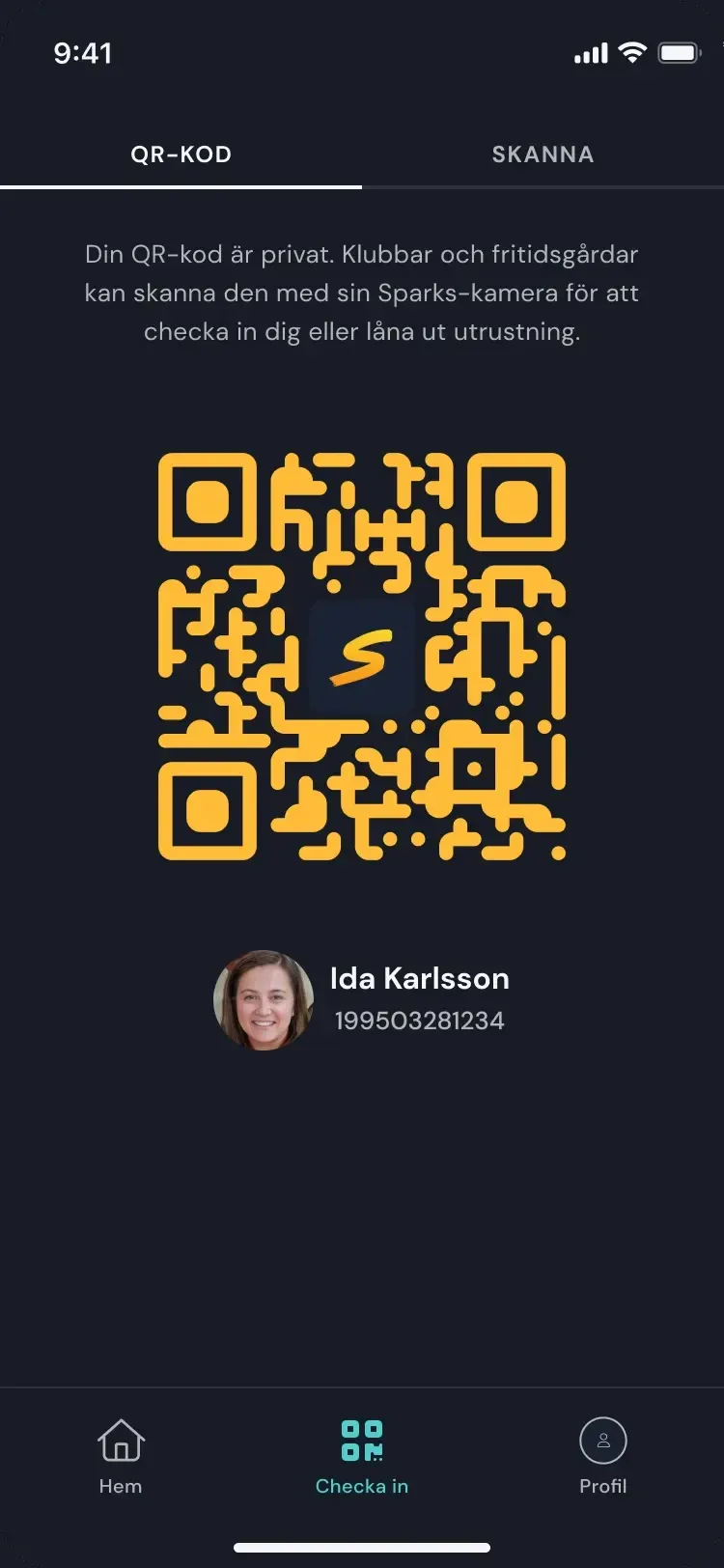
Your own QR code
You show it at the door to check in, and to borrow things on site. It is personal and refreshes constantly, so it cannot be passed on.
Prova på parkour med Sparks Stockholm
Om aktiviteten
Ida vill gå på den här aktiviteten
Consents
You answer with one tap
If an activity needs your consent you are asked in the app: who wants to go, what it is, when and where. Beyond the single activity there are four things you can give once and for all.
Membership
The child can apply to join a club or a fritidsgård — you approve it.
Photography
Whether the organisation may photograph your child and use the pictures. One yes here, not one for every occasion.
Swimming
You state whether your child can swim. Leaders see it before swimming and outings.
Allergies
Enter allergies with a description once, and they follow the child to every organisation.
You can change your mind at any time. A no is not permanent, and neither is a yes.
Safety
Known organisers, adults on site, and a code that cannot be copied
Everything in the app comes from an organisation — a fritidsgård, a club, a kulturskola or a library. Activities are not posted by private individuals, every organiser is known to us, and there are adult leaders on site.
On arrival the child checks in with their own QR code. It is personal and refreshes constantly, so a screenshot passed on to somebody else will not work — nobody can check in as somebody else, and the attendance list is correct.
Din QR-kod är privat. Klubbar och fritidsgårdar kan skanna den med sin Sparks-kamera för att checka in dig eller låna ut utrustning.
Your data
We share no information about your child
Sparks is a non-profit and does not live on advertising. The information exists so that the organisation can receive your child: who is registered, what you have consented to, and things like allergies if you have entered them.
Allergies are entered once on the profile and follow the child to every organisation, so you do not have to explain them in each new place. What we store, for how long and what rights you have is set out in the privacy policy — which is in Swedish. If you want to stop, you delete the account yourselves from inside the app, under account settings; for a child under 13 you do it from the child's settings.
Still wondering about something?
The questions page covers the most common ones. If you cannot find the answer, you can always email us.

Or open the app straight away at web.sparks.se